You can not select more than 25 topics
Topics must start with a letter or number, can include dashes ('-') and can be up to 35 characters long.
2.0 KiB
2.0 KiB
The first step is to use ABP CLI to create a new project.
abp new BookStore -u blazor -t app
See the ABP official documentation to learn ABP framework.
Replace LeptonXLiteTheme with AntBlazorTheme packages
- Replace
Volo.Abp.AspNetCore.Components.WebAssembly.LeptonXLiteThemewithLsw.Abp.AspnetCore.Components.WebAssembly.AntDesignTheme - Replace
Volo.Abp.Identity.Blazor.WebAssemblywithLsw.Abp.IdentityManagement.Blazor.WebAssembly.AntDesignUI - Replace
Volo.Abp.SettingManagement.Blazor.WebAssemblywithLsw.Abp.SettingManagement.Blazor.WebAssembly.AntDesignUI - Replace
Volo.Abp.TenantManagement.Blazor.WebAssemblywithLsw.Abp.TenantManagement.Blazor.WebAssembly.AntDesignUI
**Open `_Imports.razor` and add with the following:**

```csharp
@using AntDesign
@using Lsw.Abp.AntDesignUI
@using Lsw.Abp.AntDesignUI.Components
@using Lsw.Abp.AspnetCore.Components.Web.AntDesignTheme.Layout
@using Lsw.Abp.AspnetCore.Components.Web.AntDesignTheme.Bundling
Open BookStoreBlazorModule make the following changes:
- Remove the
ConfigureBlazorisemethod - Fix wrong using namespace
- Update module dependencies
- For example, replace
AbpIdentityBlazorWebAssemblyModulewithAbpIdentityBlazorWebAssemblyAntDesignModule
- For example, replace
Open BookStoreMenuContributor to update icon:
"fas fa-home"toIconType.Outline.Home"fa fa-cog"toIconType.Outline.Setting
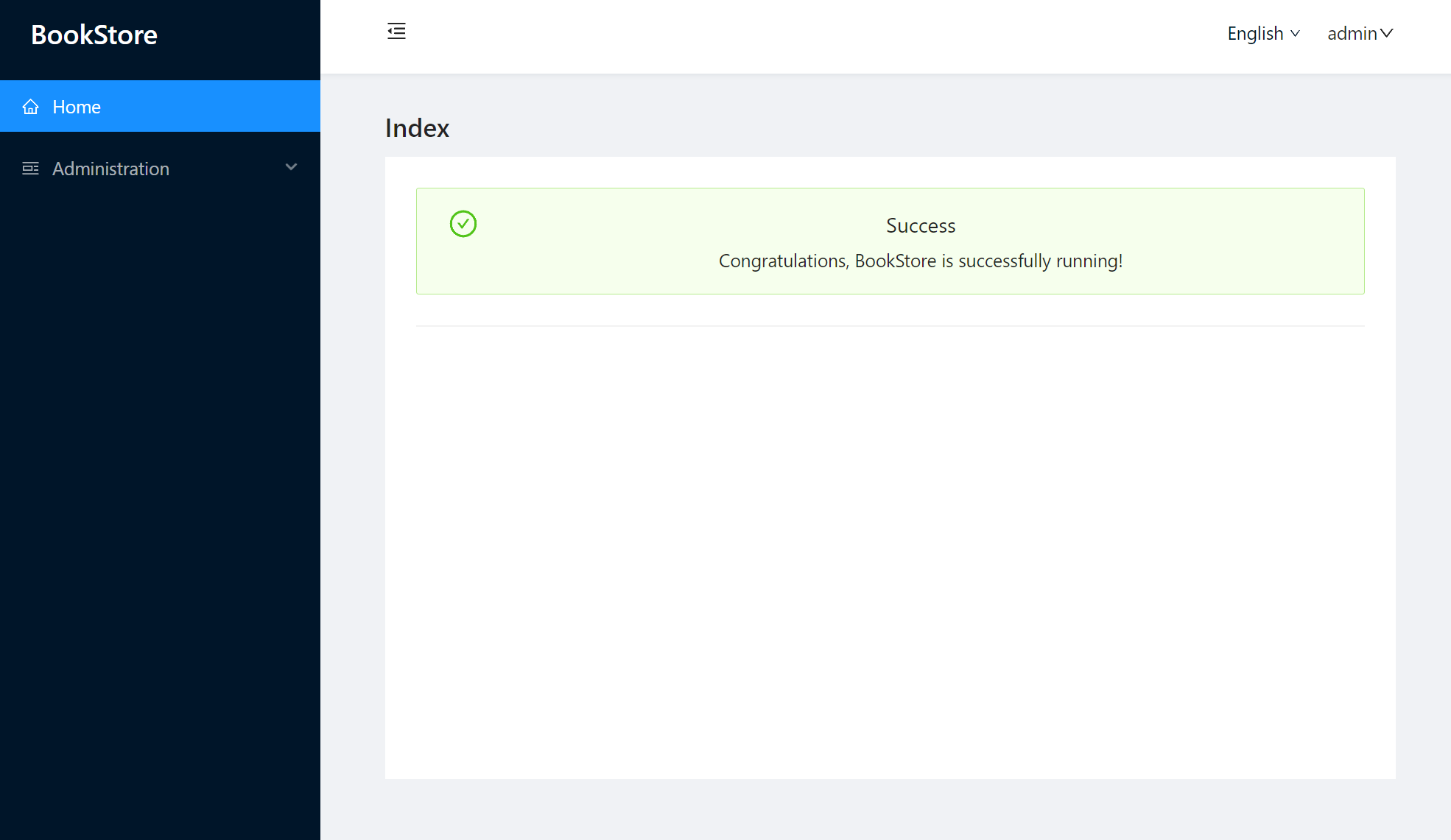
Open Index.razor and replace with the following:
@page "/"
@inherits BookStoreComponentBase

<AbpPageHeader Title="Index"></AbpPageHeader>

<div class="page-content">
    <div style="text-align: center">

        <Alert Type="@AlertType.Success"
               Message="Success"
               Description=" Congratulations, BookStore is successfully running!"
               ShowIcon="true"/>

        <Divider/>

    </div>
</div>
Run the dotnet build & abp bundle command in the BookStore.Blazor folder.
That's all, enjoy your code :).