English | [简体中文](./README.md)
## Overview
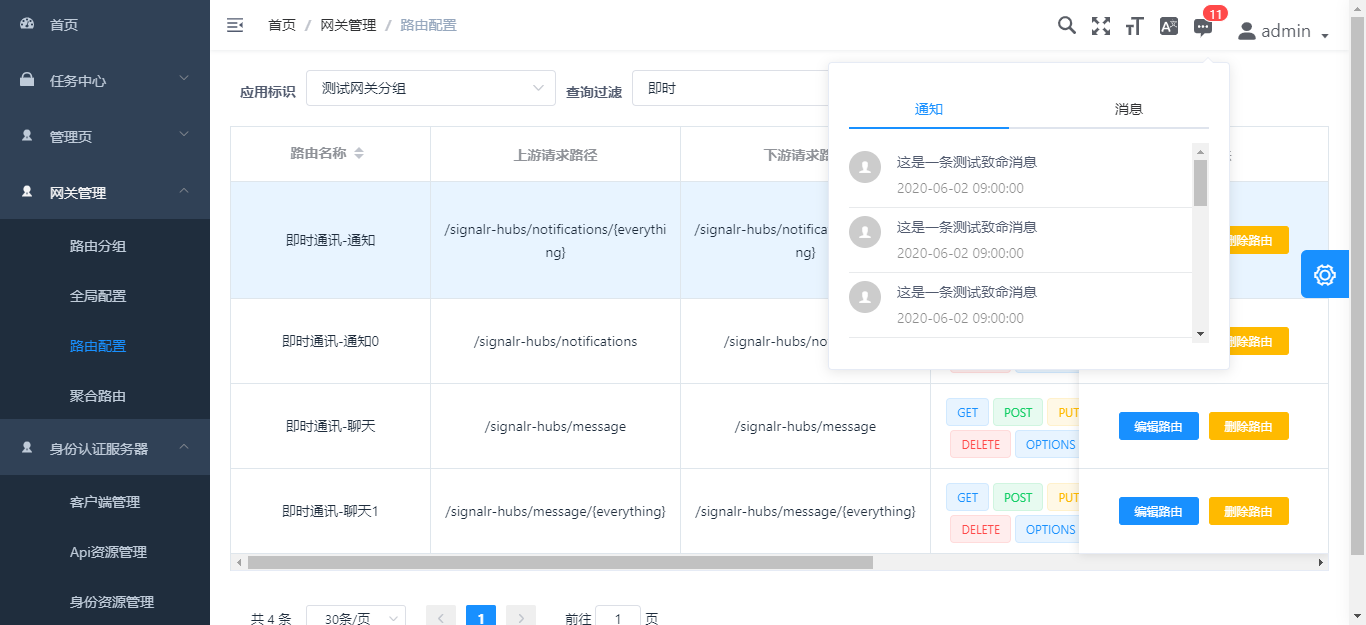
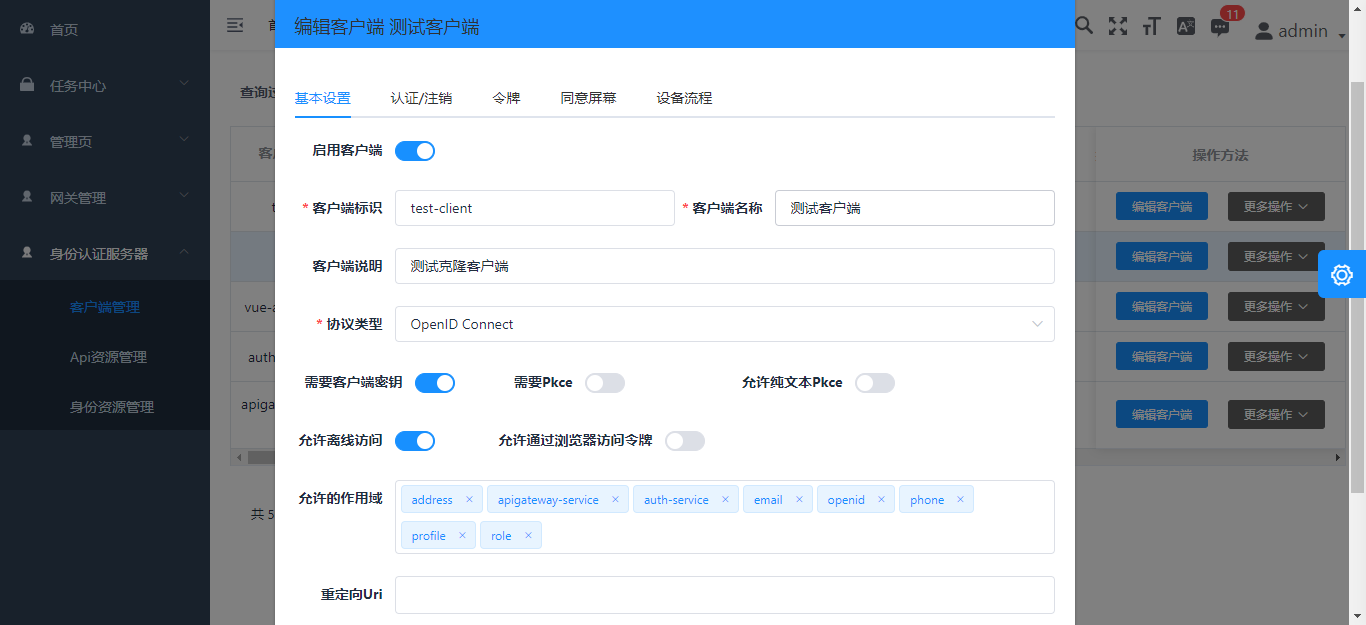
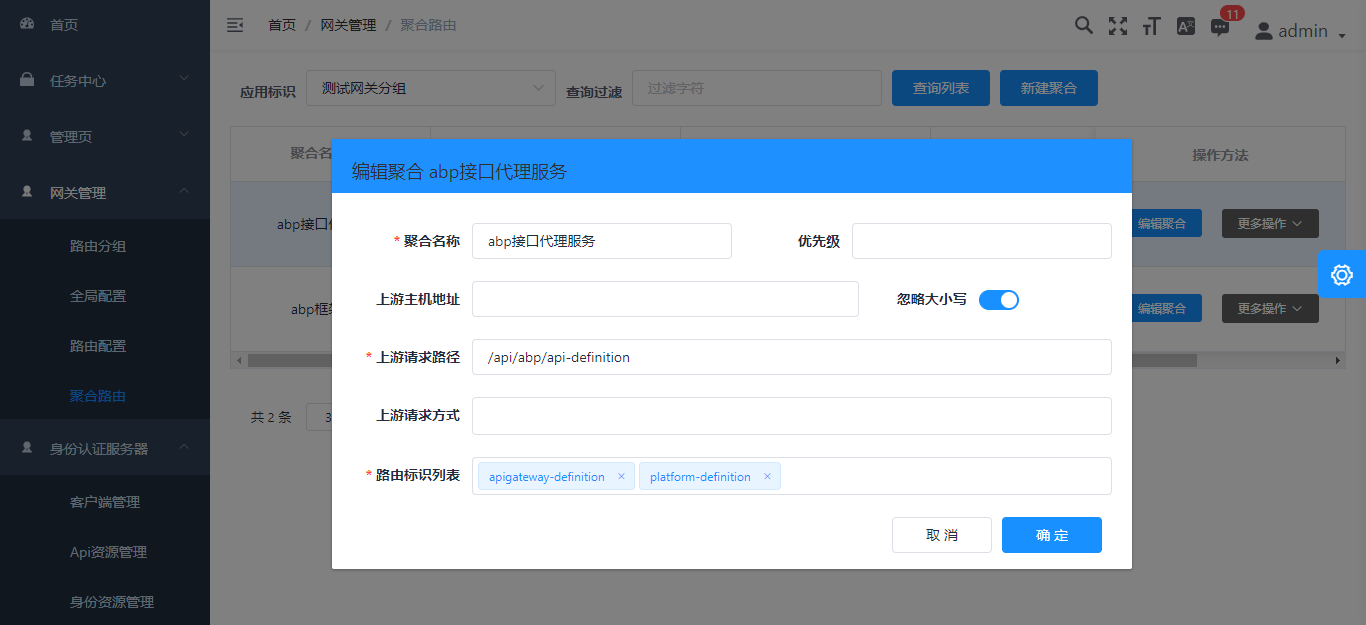
This is a [vue-typescript-admin-template](http://armour.github.io/vue-typescript-admin-template) -based Abp framework background management interface
## Documentation
[Docs](https://armour.github.io/vue-typescript-admin-docs)
## Screenshots
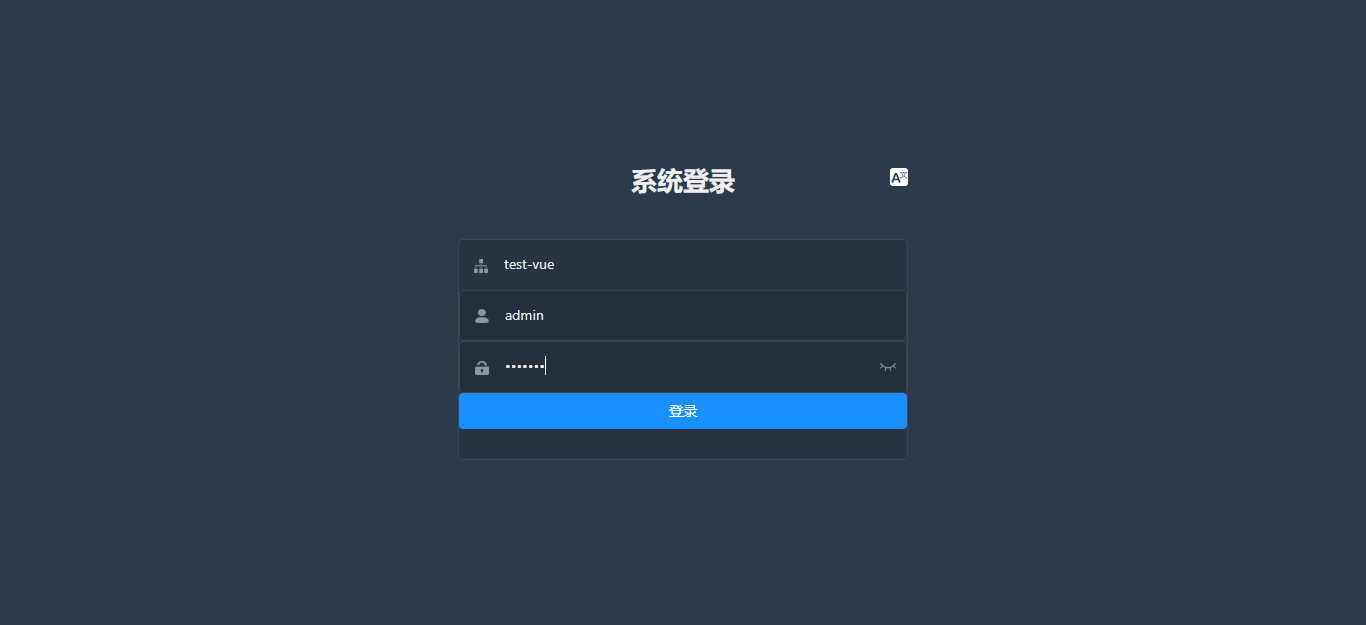
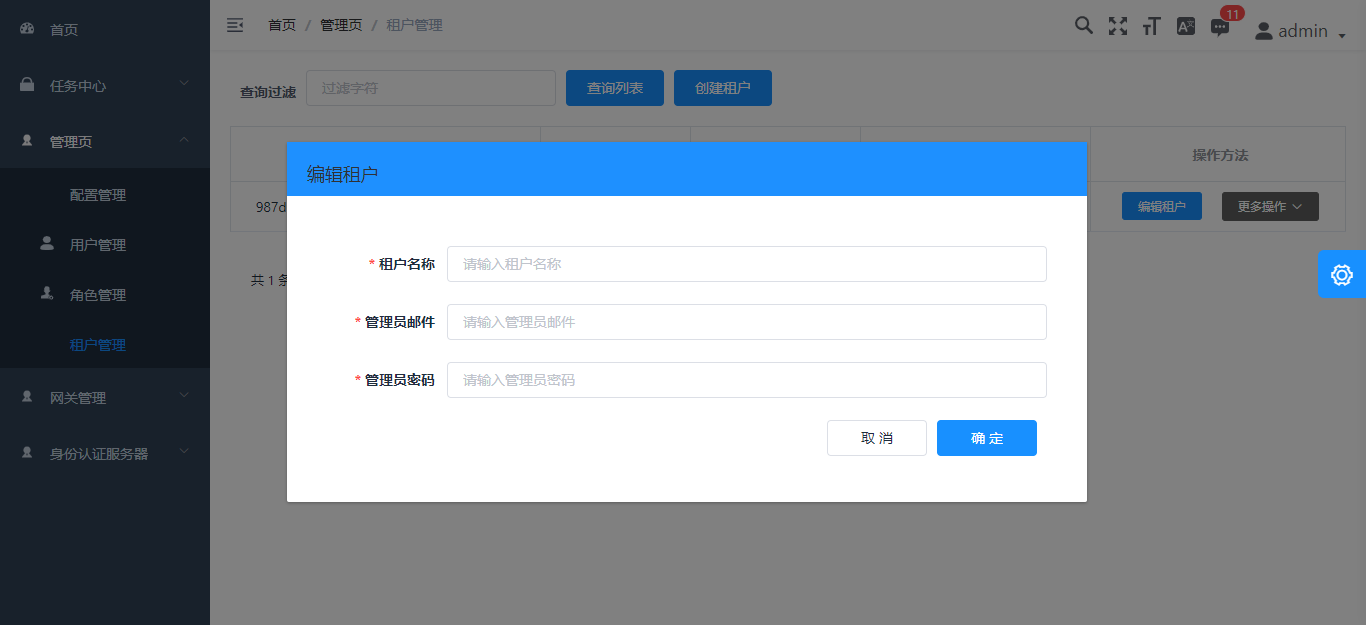
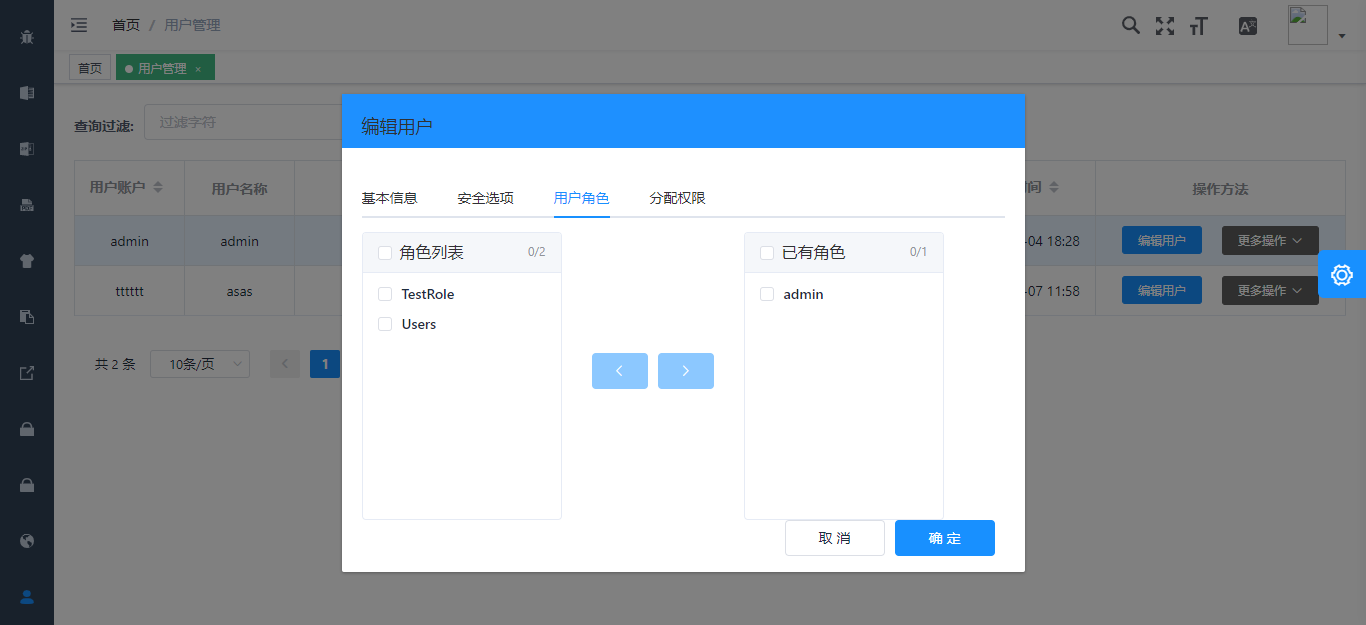
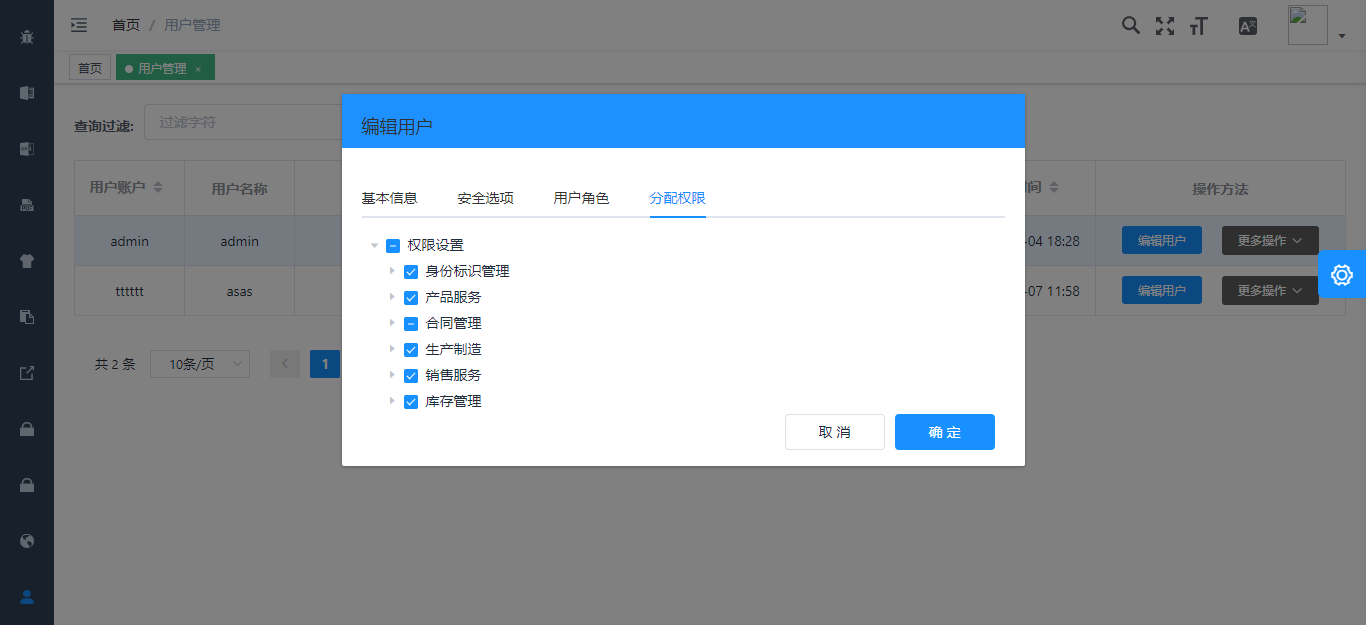
## Related Projects
[Armour/vue-typescript-admin-mock-server](https://github.com/armour/vue-typescript-admin-mock-server) (mock server for this project)
[Armour/vue-typescript-admin-docs](https://github.com/armour/vue-typescript-admin-docs) (documentation source for this project)
Javascript version:
[PanJiaChen/vue-admin-template](https://github.com/PanJiaChen/vue-admin-template) (a vue2.0 minimal admin template)
[PanJiaChen/vue-element-admin](https://github.com/PanJiaChen/vue-element-admin) (full features supported vue admin)
[PanJiaChen/electron-vue-admin](https://github.com/PanJiaChen/electron-vue-admin) (a vue electron admin project)
## Features
```txt
- Login / Logout
- Permission Authentication
- Page permission
- Directive permission
- Permission configuration page
- Two-step login
- Multi-environment build
- Dev / Stage / Prod
- Global Features
- I18n
- Dynamic themes
- Dynamic sidebar (supports multi-level routing)
- Dynamic breadcrumb
- Tags-view (supports right-click operation)
- Clipboard
- Svg icons
- Search
- Screenfull
- Settings
- Mock data / Mock server
- PWA support
- Components
- Editors
- Rich Text Editor
- Markdown Editor
- JSON Editor
- Avatar Upload
- Back To Top
- CountTo
- Dropzone
- Draggable Dialog
- Draggable Kanban
- Draggable List
- Draggable Select
- ECharts
- Mixin
- SplitPane
- Sticky
- Table
- Dynamic Table
- Draggable Table
- Inline Edit Table
- Complex Table
- Excel
- Export Excel
- Upload Excel
- Excel Visualization
- Zip
- Export zip
- PDF
- Download pdf
- Dashboard
- Guide Page
- Advanced Example Page
- Error Log
- Error Page
- 401
- 404
```
## Preparation
You need to install [node](http://nodejs.org/) and [git](https://git-scm.com/) locally. The project is based on [typescript](https://www.typescriptlang.org/), [vue](https://vuejs.org/index.html), [vuex](https://vuex.vuejs.org/), [vue-router](https://router.vuejs.org/), [vue-cli](https://github.com/vuejs/vue-cli) , [axios](https://github.com/axios/axios) and [element-ui](https://github.com/ElemeFE/element), Understanding and learning these knowledge in advance will greatly help you on using this project.
## Project Structure
```bash
├── mock/ # mock server & mock data
├── public # public static assets (directly copied)
│ │── favicon.ico # favicon
│ │── manifest.json # PWA config file
│ └── index.html # index.html template
├── src # main source code
│ ├── api # api service
│ ├── assets # module assets like fonts, images (processed by webpack)
│ ├── components # global components
│ ├── directives # global directives
│ ├── filters # global filter
│ ├── icons # svg icons
│ ├── lang # i18n language
│ ├── layout # global layout
│ ├── pwa # PWA service worker related files
│ ├── router # router
│ ├── store # store
│ ├── styles # global css
│ ├── utils # global utils
│ ├── views # views
│ ├── App.vue # main app component
│ ├── main.ts # app entry file
│ ├── permission.ts # permission authentication
│ ├── settings.ts # setting file
│ └── shims.d.ts # type definition shims
├── tests/ # tests
├── .circleci/ # automated CI configuration
├── .browserslistrc # browserslist config file (to support Autoprefixer)
├── .editorconfig # editor code format consistency config
├── .env.xxx # env variable configuration
├── .eslintrc.js # eslint config
├── babel.config.js # babel config
├── cypress.json # e2e test config
├── jest.config.js # jest unit test config
├── package.json # package.json
├── postcss.config.js # postcss config
├── tsconfig.json # typescript config
└── vue.config.js # vue-cli config
```
## Project setup
With [yarn](https://yarnpkg.com/lang/en/) or [npm](https://www.npmjs.com/get-npm)
#### Install dependencies
```bash
yarn install
```
### Custom vue project config
Modify the server address that the development environment will use for the proxy. Provide the following three addresses: IdentityService, IdentityServer, and ApiService
```bash
proxy: {
// change xxx-api/login => /mock-api/v1/login
// detail: https://cli.vuejs.org/config/#devserver-proxy
[process.env.VUE_APP_BASE_IDENTITY_SERVER]: {
// IdentityServer4 Server address, used for authentication
target: 'http://localhost:44385',
changeOrigin: true,
pathRewrite: {
['^' + process.env.VUE_APP_BASE_IDENTITY_SERVER]: ''
}
},
[process.env.VUE_APP_SIGNALR_SERVER]: {
// SignalR address for the messaging service, SignalR USES WebSocket communication, so a separate proxy address is required
target: 'ws://localhost:30000',
changeOrigin: true,
pathRewrite: {
['^' + process.env.VUE_APP_SIGNALR_SERVER]: ''
},
logLevel: 'debug'
},
[process.env.VUE_APP_BASE_API]: {
// All other business is through the gateway proxy, directly fill in the gateway address
target: 'http://localhost:30000',
changeOrigin: true,
pathRewrite: {
['^' + process.env.VUE_APP_BASE_API]: ''
},
logLevel: 'debug'
}
}
```
Modify the actual address of the production environment, as above
```bash
# Base api
# Remeber to change this to your production server address
# Here I used my mock server for this project
# VUE_APP_BASE_API = 'https://vue-typescript-admin-mock-server.armour.now.sh/mock-api/v1/'
# Business services
VUE_APP_BASE_API = '/api'
# SignalR
VUE_APP_SIGNALR_SERVER = '/signalr-hubs'
# IdentityServer4
VUE_APP_BASE_IDENTITY_SERVER = '/connect'
# default tenant name
VUE_APP_TENANT_NAME = ''
# client id
VUE_APP_CLIENT_ID = 'vue-admin-element'
# client secret
VUE_APP_CLIENT_SECRET = '1q2w3e*'
```
### EntityFramework migration
Please switch to the service project startup directory and execute the **dotnet EF ** command for database migration
example:
``` shell
cd aspnet-core/services/admin/LINGYUN.BackendAdminApp.Host
dotnet ef database update
```
### Initializes the apigateway database
In the **2020-08-05 16:25:00** submission, the **apigateway-init.SQL** file has been read and written to the **DataSeeder** type. Starting the gateway management project will automatically initialize the gateway data.
Make sure the **aspnet-core/Database/apigateway-init.sql** file exists
### Configure the RabbitMQ
Therefore project design for the micro service architecture, with the method of distributed event, communication between project USES is [DotNetCore/CAP](https://github.com/dotnetcore/CAP)
The communication mode is **RabbitMQ Server**, so you need to install **RabbitMQ** in advance. Please refer to the official website for the specific installation mode
Then you need to change the **CAP:RabbitMQ** configuration in the configuration file to set it to your own defined configuration. The **rabbitmq_management** plug-in is recommended for quick management of **RabbitMQ**
### Compiles background services
```shell
cd aspnet-core/services
start-all-service.bat
```
#### Compiles and hot-reloads for development
```shell
cd vueJs
start-vue-admin.bat
```
#### Compiles and minifies for production
```bash
yarn run build:prod
```
### About Docker container
**Step 1**: Building background services, powershell script: **./build/build-aspnetcore-release.ps1**, **Warning: after the release of service need configuration file: appsettings.Production.json**
**Step 2**: Build the front-end, **./build/build-vue-element-admin.ps1**
**Step 3**: Build after the release of the address of the default in **./aspnet-core/services/Publish**, change nginx proxy server address: **./client/docker/nginx/default.conf**
**Step 4**: Run command **sudo docker-compose down && sudo docker-compose -f docker-compose.yml -f docker-compose.override.yml up --build -d**
**Using A CI tool such as Jenkins is recommended to simplify this into a single step**
#### Lints and fixes files
```bash
yarn run lint
```
#### Run your unit tests
```bash
yarn run test:unit
```
#### Run your end-to-end tests
```bash
yarn run test:e2e
```
#### Generate all svg components
```bash
yarn run svg
```
#### Customize Vue configuration
See [Configuration Reference](https://cli.vuejs.org/config/).
## Browsers support
Modern browsers and Internet Explorer 10+.
| [ ](http://godban.github.io/browsers-support-badges/)IE / Edge | [
 ](http://godban.github.io/browsers-support-badges/)Firefox | [
 ](http://godban.github.io/browsers-support-badges/)Chrome | [
 ](http://godban.github.io/browsers-support-badges/)Safari |
| --------- | --------- | --------- | --------- |
| IE10, IE11, Edge| last 2 versions| last 2 versions| last 2 versions
## Contributing
See [CONTRIBUTING.md](https://github.com/Armour/vue-typescript-admin-template/blob/master/.github/CONTRIBUTING.md)
## License
[MIT License](https://github.com/Armour/vue-typescript-admin-template/blob/master/LICENSE)
](http://godban.github.io/browsers-support-badges/)Safari |
| --------- | --------- | --------- | --------- |
| IE10, IE11, Edge| last 2 versions| last 2 versions| last 2 versions
## Contributing
See [CONTRIBUTING.md](https://github.com/Armour/vue-typescript-admin-template/blob/master/.github/CONTRIBUTING.md)
## License
[MIT License](https://github.com/Armour/vue-typescript-admin-template/blob/master/LICENSE)