[English](./README.en.md) | 简体中文
## 总览
[vue-typescript-admin-template](http://armour.github.io/vue-typescript-admin-template) 是一个后台前端解决方案,它基于 [vue](https://github.com/vuejs/vue), [typescript](https://www.typescriptlang.org/) 和 [element-ui](https://github.com/ElemeFE/element)实现。原始的 Javascript 版本的代码是由 [PanJiaChen](https://github.com/PanJiaChen) 开发维护的 [vue-element-admin](https://github.com/PanJiaChen/vue-element-admin/), 十分感谢大佬对开源社区做出的贡献 :)
如果你想从一个十分简单的基础模版开始,而不是直接使用这个功能丰富的集成方案的话,你可以看一看本项目的 [minimal](https://github.com/Armour/vue-typescript-admin-template/tree/minimal) 分支.
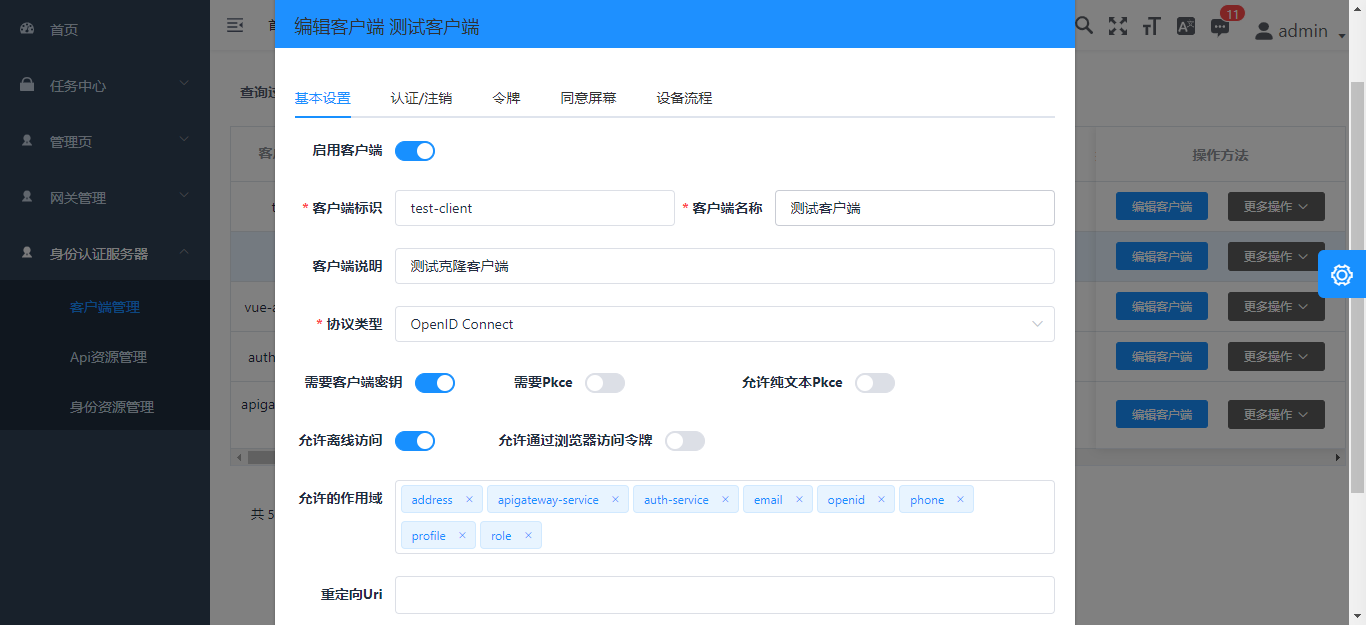
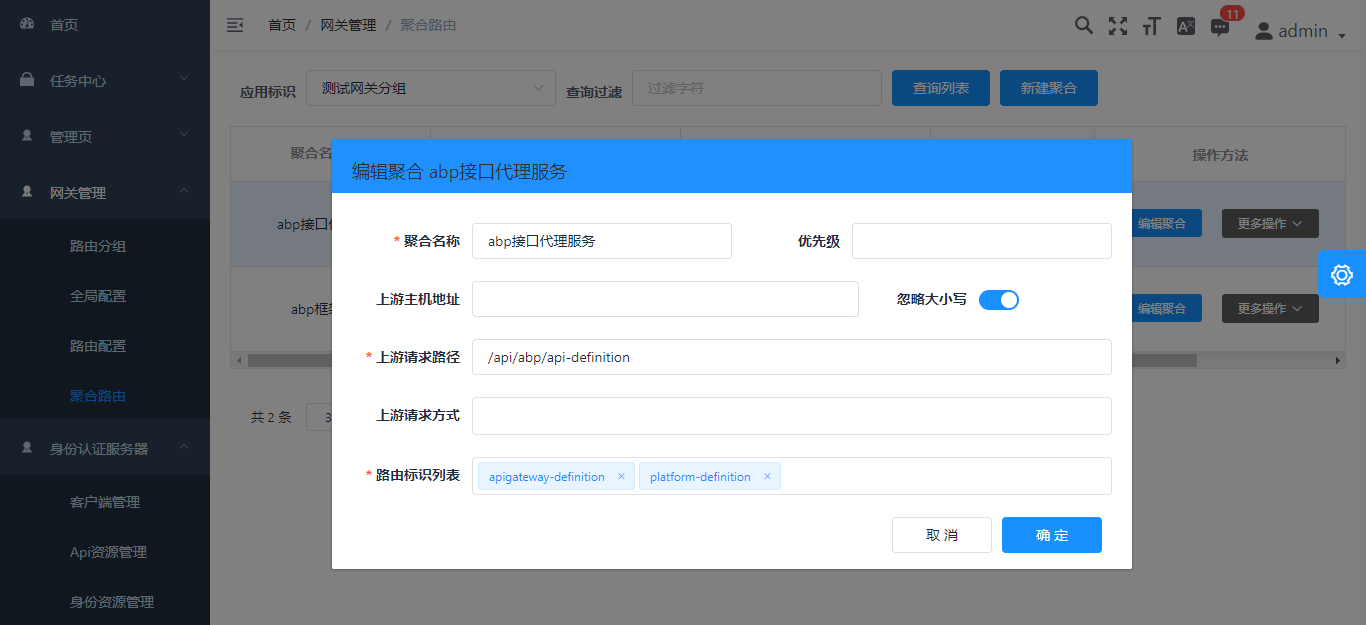
通过这个前端框架,作者尝试集成后台abp框架,提供管理页面的支持
## 线上文档
[文档](https://armour.github.io/vue-typescript-admin-docs/zh)
## 线上地址
[示例](https://armour.github.io/vue-typescript-admin-template)
## 截图
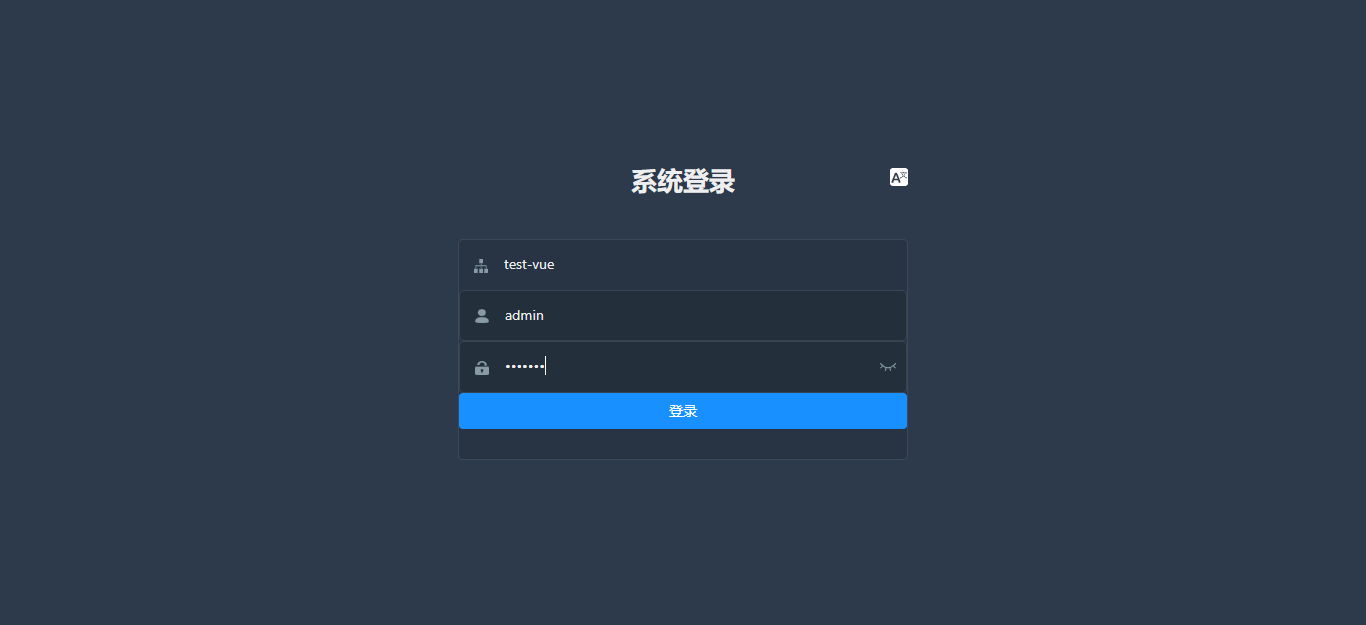

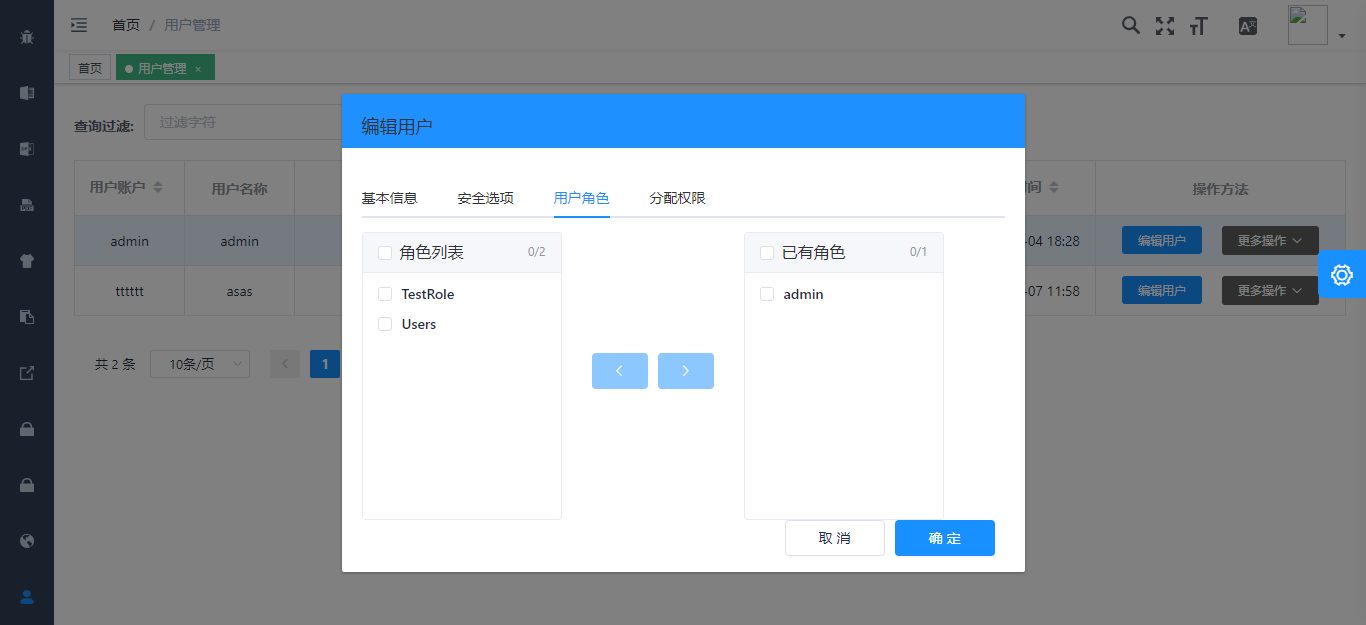
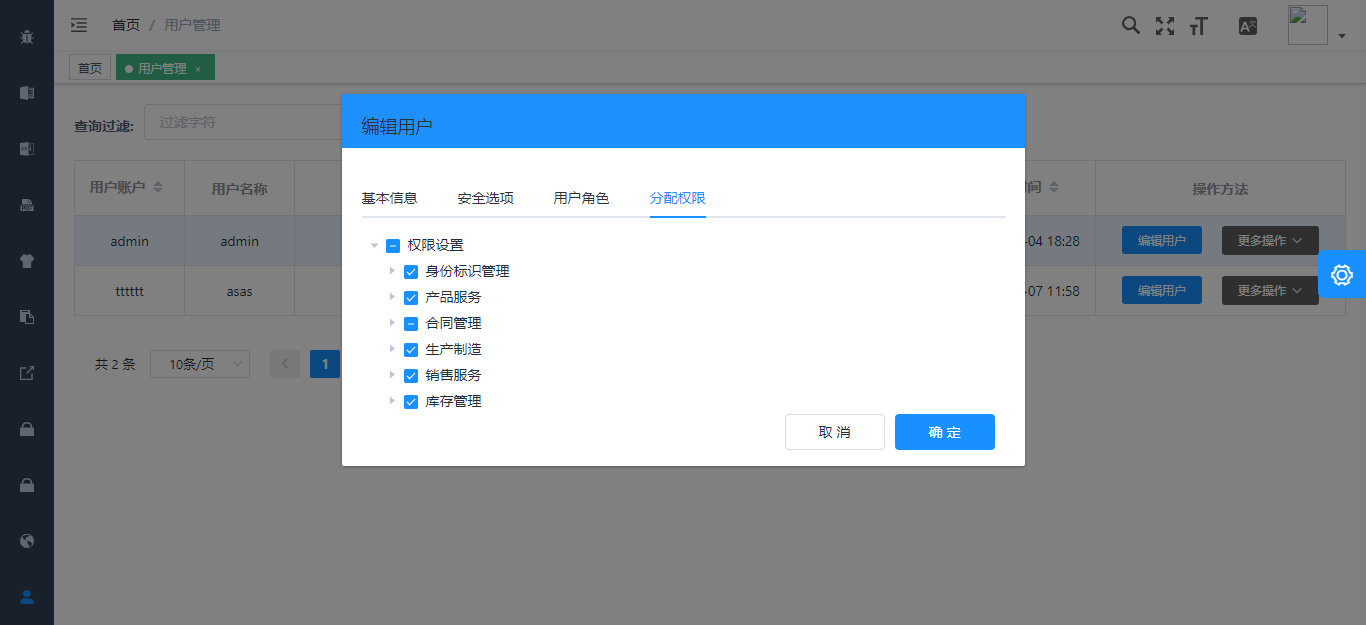
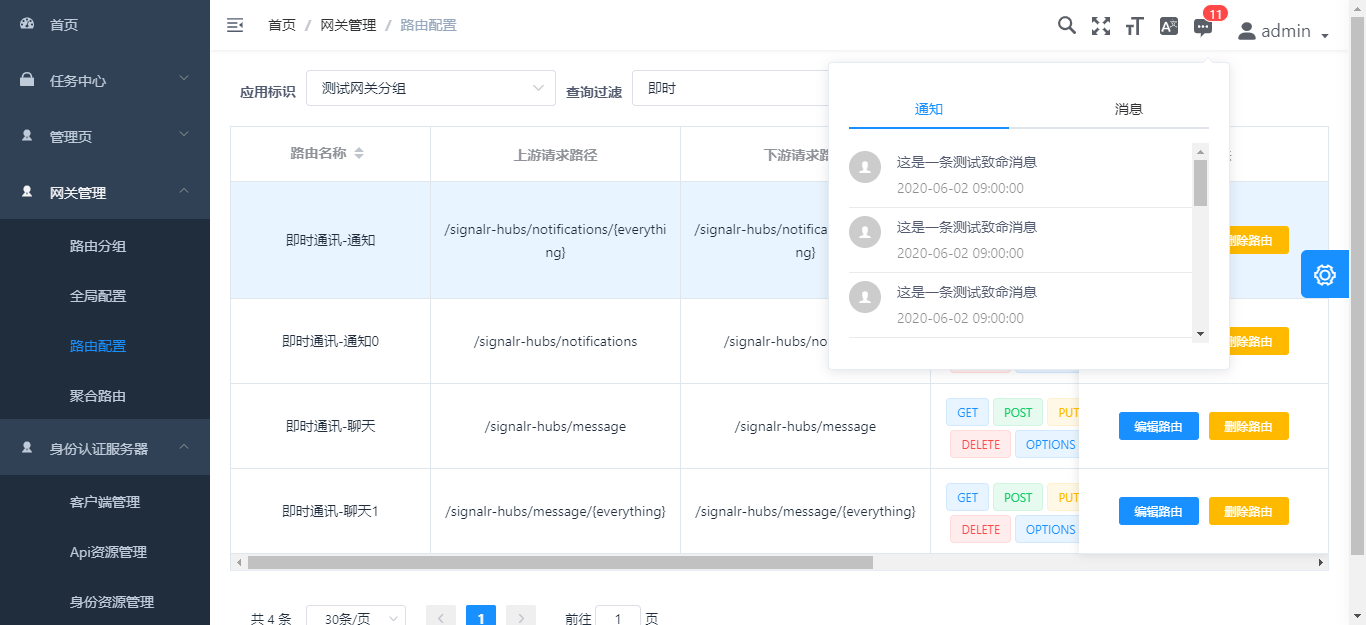
## 相关项目
后端项目
[abpframework/abp](https://github.com/abpframework/abp) (abp vNext)
[EasyAbp/Cap](https://github.com/EasyAbp/Abp.EventBus.CAP) (EasyAbp)
Typescript 版本:
[Armour/vue-typescript-admin-mock-server](https://github.com/armour/vue-typescript-admin-mock-server) (mock server for this project)
[Armour/vue-typescript-admin-docs](https://github.com/armour/vue-typescript-admin-docs) (documentation source for this project)
Javascript 版本:
[PanJiaChen/vue-admin-template](https://github.com/PanJiaChen/vue-admin-template) (a vue2.0 minimal admin template)
[PanJiaChen/vue-element-admin](https://github.com/PanJiaChen/vue-element-admin) (full features supported vue admin)
[PanJiaChen/electron-vue-admin](https://github.com/PanJiaChen/electron-vue-admin) (a vue electron admin project)
## 功能
```txt
- 登录 / 注销
- 权限验证
- 页面权限
- 指令权限
- 权限配置
- 二步登录
- 多环境发布
- Dev / Stage / Prod
- 全局功能
- 国际化多语言
- 动态换肤
- 动态侧边栏(支持多级路由嵌套)
- 动态面包屑
- 快捷导航(支持右键操作)
- 粘贴板
- Svg 图标
- 搜索
- 全屏
- 设置
- Mock 数据 / Mock 服务器
- 支持 PWA
- 组件
- 编辑器
- 富文本编辑器
- Markdown 编辑器
- JSON 编辑器
- 头像上传
- 返回顶部
- CountTo
- 拖放区
- 拖拽弹窗
- 拖拽看板
- 拖拽列表
- 拖拽选择
- ECharts 图表
- Mixin
- 拆分窗格
- 黏性组件
- 表格
- 动态表格
- 拖拽表格
- 内联编辑表格
- 复杂表格
- Excel
- 导出excel
- 导入excel
- 前端可视化excel
- Zip
- 导出zip
- PDF
- 下载 pdf
- 控制台
- 引导页
- 综合实例
- 错误日志
- 错误页面
- 401
- 404
```
## 前序准备
你需要在本地安装 [node](http://nodejs.org/) 和 [git](https://git-scm.com/)。本项目技术栈基于 [typescript](https://www.typescriptlang.org/)、[vue](https://cn.vuejs.org/index.html)、[vuex](https://vuex.vuejs.org/zh-cn/)、[vue-router](https://router.vuejs.org/zh-cn/) 、[vue-cli](https://github.com/vuejs/vue-cli) 、[axios](https://github.com/axios/axios) 和 [element-ui](https://github.com/ElemeFE/element),所有的请求数据都使用[faker.js](https://github.com/Marak/Faker.js)进行模拟,提前了解和学习这些知识会对使用本项目有很大的帮助。
## 目录结构
本项目已经为你生成了一个完整的开发框架,提供了涵盖后台开发的各类功能和坑位,下面是整个项目的目录结构。
```bash
├── mock # mock 服务器 与 模拟数据
├── public # 静态资源 (会被直接复制)
│ │── favicon.ico # favicon图标
│ │── manifest.json # PWA 配置文件
│ └── index.html # html模板
├── src # 源代码
│ ├── api # 所有请求
│ ├── assets # 主题 字体等静态资源 (由 webpack 处理加载)
│ ├── components # 全局组件
│ ├── directive # 全局指令
│ ├── filters # 全局过滤函数
│ ├── icons # svg 图标
│ ├── lang # 国际化
│ ├── layout # 全局布局
│ ├── pwa # PWA service worker 相关的文件
│ ├── router # 路由
│ ├── store # 全局 vuex store
│ ├── styles # 全局样式
│ ├── utils # 全局方法
│ ├── views # 所有页面
│ ├── App.vue # 入口页面
│ ├── main.js # 入口文件 加载组件 初始化等
│ ├── permission.ts # 权限管理
│ ├── settings.ts # 设置文件
│ └── shims.d.ts # 模块注入
├── tests # 测试
├── .circleci/ # 自动化 CI 配置
├── .browserslistrc # browserslistrc 配置文件 (用于支持 Autoprefixer)
├── .editorconfig # 编辑相关配置
├── .env.xxx # 环境变量配置
├── .eslintrc.js # eslint 配置
├── babel.config.js # babel-loader 配置
├── cypress.json # e2e 测试配置
├── jest.config.js # jest 单元测试配置
├── package.json # package.json 依赖
├── postcss.config.js # postcss 配置
├── tsconfig.json # typescript 配置
└── vue.config.js # vue-cli 配置
```
## 如何设置以及启动项目
### 安装依赖
```bash
yarn install
```
### 更改配置文件名称
[.env.Github.production](./.env.Github.production) 变更为 .env.production
[vue.config.github.js ](./vue.config.github.js ) 变更为 vue.config.js
修改开发环境用于代理的服务器地址,以下提供了三个分别为IdentityService、IdentityServer、ApiService地址,如果有网关的话可以只需要一个网关地址即可
```bash
proxy: {
[process.env.VUE_APP_BASE_IDENTITY_SERVER]: {
target: '你的identityService地址',
changeOrigin: true,
pathRewrite: {
['^' + process.env.VUE_APP_BASE_IDENTITY_SERVER]: ''
}
},
[process.env.VUE_APP_BASE_IDENTITY_SERVICE]: {
target: '你的identityServer服务器地址',
changeOrigin: true,
pathRewrite: {
['^' + process.env.VUE_APP_BASE_IDENTITY_SERVICE]: ''
}
},
[process.env.VUE_APP_BASE_API]: {
target: '你的api网关地址',
changeOrigin: true,
pathRewrite: {
['^' + process.env.VUE_APP_BASE_API]: ''
}
}
}
```
修改生产环境真实地址,如上
```bash
# Base api
# Remeber to change this to your production server address
# Here I used my mock server for this project
# VUE_APP_BASE_API = 'https://vue-typescript-admin-mock-server.armour.now.sh/mock-api/v1/'
VUE_APP_BASE_API = '你的api网关服务器地址'
VUE_APP_BASE_IDENTITY_SERVICE = '你的identityService服务器地址'
VUE_APP_BASE_IDENTITY_SERVER = '你的identityServer服务器地址'
# 客户端标识
VUE_APP_CLIENT_ID = 'vue-admin-element'
# 客户端密钥
VUE_APP_CLIENT_SECRET = '1q2w3e*'
```
### 启动本地开发环境(自带热启动)
```bash
yarn serve
```
### 构建生产环境 (自带压缩)
```bash
yarn build:prod
```
### 代码格式检查以及自动修复
```bash
yarn lint
```
### 运行单元测试
```bash
yarn test:unit
```
### 运行端对端测试
```bash
yarn test:e2e
```
### 自动生成 svg 组件
```bash
yarn run svg
```
### 自定义 Vue 配置
请看 [Configuration Reference](https://cli.vuejs.org/config/).
## 浏览器支持
Modern browsers and Internet Explorer 10+.
| [ ](http://godban.github.io/browsers-support-badges/)IE / Edge | [
 ](http://godban.github.io/browsers-support-badges/)Firefox | [
 ](http://godban.github.io/browsers-support-badges/)Chrome | [
 ](http://godban.github.io/browsers-support-badges/)Safari |
| --------- | --------- | --------- | --------- |
| IE10, IE11, Edge| last 2 versions| last 2 versions| last 2 versions
## 参与贡献
请看 [CONTRIBUTING.md](https://github.com/Armour/vue-typescript-admin-template/blob/master/.github/CONTRIBUTING.md)
## License
[MIT License](https://github.com/Armour/vue-typescript-admin-template/blob/master/LICENSE)
](http://godban.github.io/browsers-support-badges/)Safari |
| --------- | --------- | --------- | --------- |
| IE10, IE11, Edge| last 2 versions| last 2 versions| last 2 versions
## 参与贡献
请看 [CONTRIBUTING.md](https://github.com/Armour/vue-typescript-admin-template/blob/master/.github/CONTRIBUTING.md)
## License
[MIT License](https://github.com/Armour/vue-typescript-admin-template/blob/master/LICENSE)