## Using DevExpress Blazor UI Components With the ABP Framework
Hi, in this step by step article, I will show you how to integrate [DevExpress](https://demos.devexpress.com/blazor/) blazor UI components into ABP Framework-based applications.
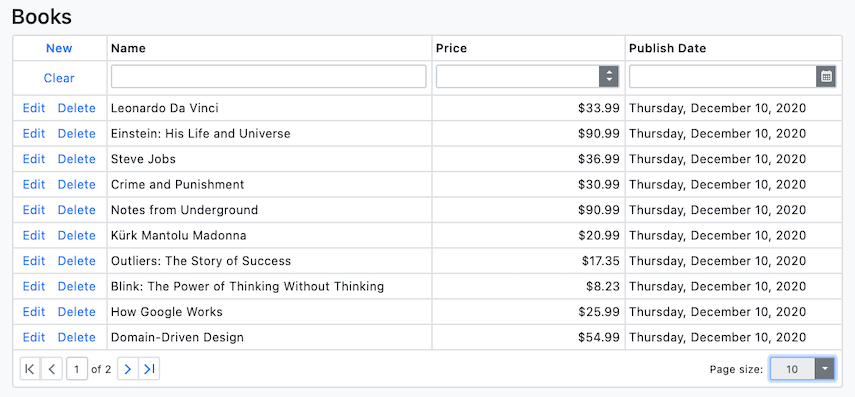
*(A screenshot from the example application developed in this article)*
## Create the Project
> ABP Framework offers startup templates to get into business faster.
In this article, I will create a new startup template with EF Core as a database provider and Blazor for UI framework. But if you already have a project with Blazor UI, you don't need to create a new startup template, you can directly implement the following steps to your existing project.
> If you already have a project with the Blazor UI, you can skip this section.
* Before starting to development, we will create a solution named `DevExpressSample` (or whatever you want). We will create a new startup template with EF Core as a database provider and Blazor for UI framework by using [ABP CLI](https://docs.abp.io/en/abp/latest/CLI):
````bash
abp new DevExpressSample -u blazor
````
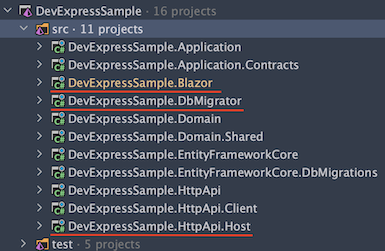
* Our project boilerplate will be ready after the download is finished. Then, we can open the solution in the Visual Studio (or any other IDE) and run the `DevExpressSample.DbMigrator` to create the database and seed initial data (which creates the admin user, admin role, permissions etc.)
* After database and initial data created,
* Run the `DevExpressSample.HttpApi.Host` to see our server side working and
* Run the `DevExpressSample.Blazor` to see our UI working properly.
> _Default login credentials for admin: username is **admin** and password is **1q2w3E\***_
## Install DevExpress
You can follow [this documentation](https://docs.devexpress.com/Blazor/401986/getting-started/install-components-and-create-an-application/without-devexpress-installer/microsoft-templates) to install DevExpress packages into your computer.
> Don't forget to add _"DevExpress NuGet Feed"_ to your **Nuget Package Sources**.
### Adding DevExpress NuGet Packages
Add the `DevExpress.Blazor` NuGet package to the `DevExpressSample.Blazor` project.
```
Install-Package DevExpress.Blazor
```
### Register DevExpress Resources
1. Add the following line to the HEAD section of the `wwwroot/index.html` file within the `DevExpressSample.Blazor` project:
```Razor
```
2. In the `DevExpressSampleBlazorModule` class, call the `AddDevExpressBlazor()` method from your project's `ConfigureServices()` method:
```csharp
public override void ConfigureServices(ServiceConfigurationContext context)
{
var environment = context.Services.GetSingletonInstance();
var builder = context.Services.GetSingletonInstance();
// ...
builder.Services.AddDevExpressBlazor();
}
```
3. Register the **DevExpressSample.Blazor** namespace in the `_Imports.razor` file:
```Razor
@using DevExpress.Blazor
```
### Result
The installation step was done. You can use any DevExpress Blazor UI component in your application:
Example: A Scheduler:
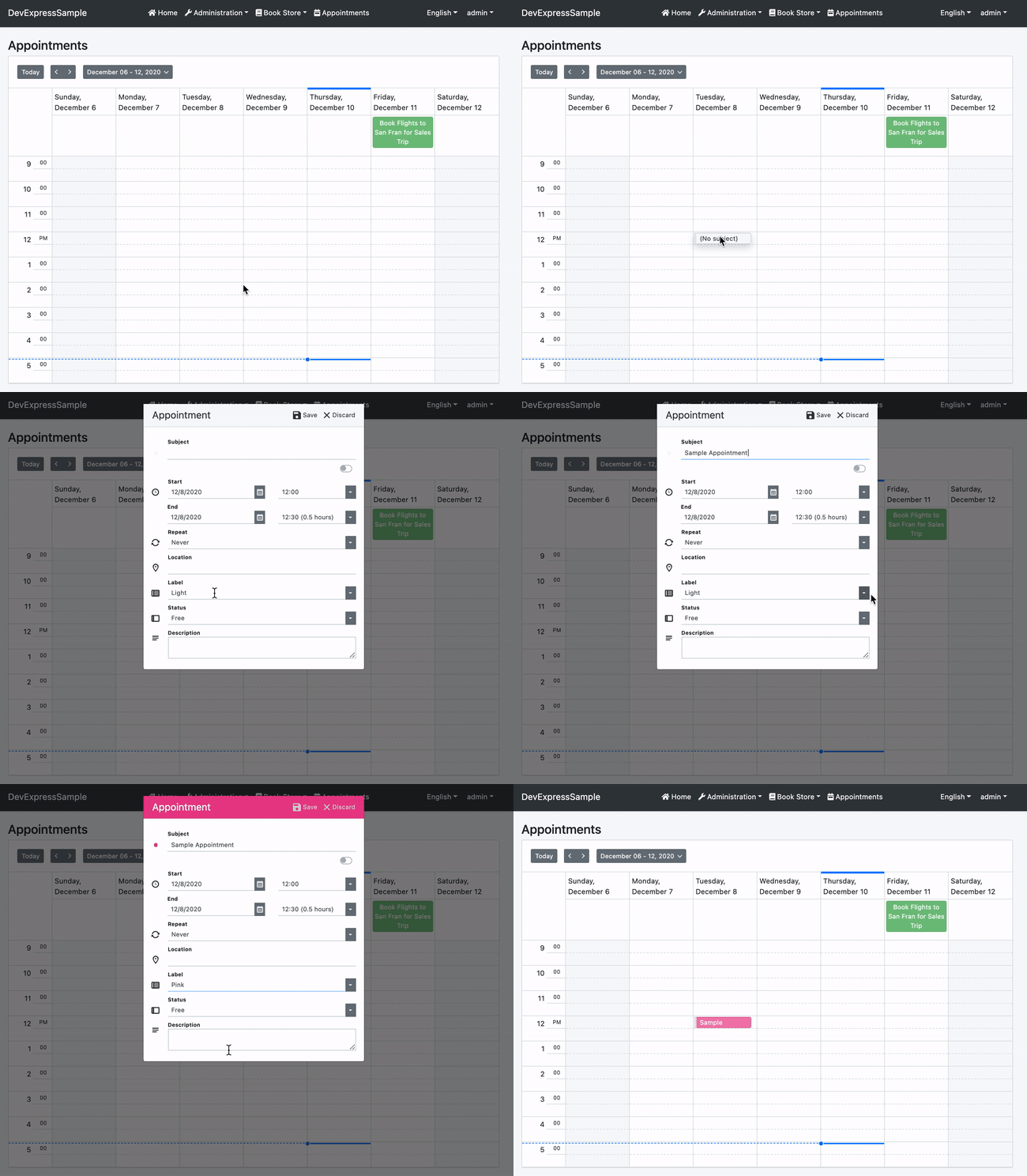
This example has been created by following [this documentation](https://demos.devexpress.com/blazor/SchedulerViewTypes).
## The Sample Application
We have created a sample application with [Data Grid](https://docs.devexpress.com/Blazor/DevExpress.Blazor.DxDataGrid-1) example.
### The Source Code
You can download the source code from [here](https://github.com/abpframework/abp-samples/tree/master/DevExpress-Blazor).
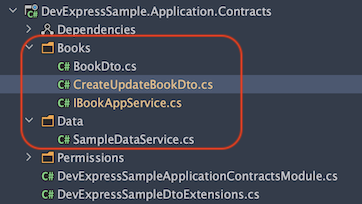
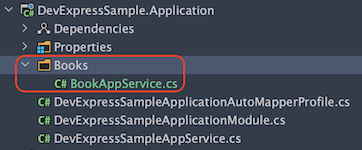
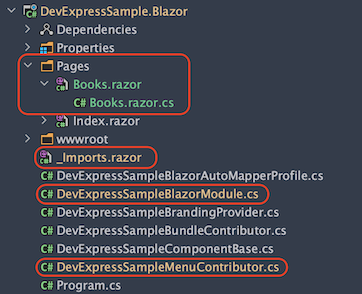
The related files for this example are marked in the following screenshots.
### Additional Notes
#### Data Storage
I've used an in-memory list to store data for this example, instead of a real database. Because it is not related to DevExpress usage. There is a `SampleDataService.cs` file in `Data` folder at `DevExpressSample.Application.Contracts` project. All the data is stored here.
## Conclusion
In this article, I've explained how to use [DevExpress](https://www.devexpress.com/blazor/) components in your application. ABP Framework is designed so that it can work with any UI library/framework.