
7.4 KiB
//[doc-seo]
{
    "Description": "Use the ABP Admin Console Low-Code Designer to create dynamic entities, pages, forms, relations, filters, permissions, and model health checks."
}
Low-Code Designer
Preview: The Low-Code Designer is part of the preview Low-Code System. Designer screens, metadata fields, and validation rules may change before general availability.
The Low-Code Designer is available in ABP Admin Console. It is the main UI for building and maintaining low-code descriptor metadata.
/admin-console/lowcode-designer
The designer works with layered descriptor metadata. In development, generated projects include source-controlled descriptor files under _Dynamic and a generated initializer. The designer can also persist changes to the database JSON layer, depending on the selected layer and permissions.

Permissions and Layers
Designer APIs require the low-code designer permission. Users who can open runtime pages do not automatically get designer access.
The selected layer controls whether the designer can save changes. Read-only layers can be inspected but not mutated, and the designer blocks edits to layers that are not currently selected. Check the active layer before changing entities, pages, forms, scripts, or permissions.
Sections
| Section | Purpose |
|---|---|
| Data | Entities, enums, properties, relations, inherited fields, and reference entities |
| Actions | Script-backed custom endpoints, event handlers, background jobs, workers, and model actions |
| Pages | Runtime pages, menu placement, page type, grid/card fields, filters, sorting, dashboards, and linked forms |
| Forms | Create/edit forms, tabs, groups, fields, controls, defaults, and actions |
| Permissions | Generated permission names and access control |
| Health | Model validation and runtime readiness checks |
Data
Use Data to define the domain model.
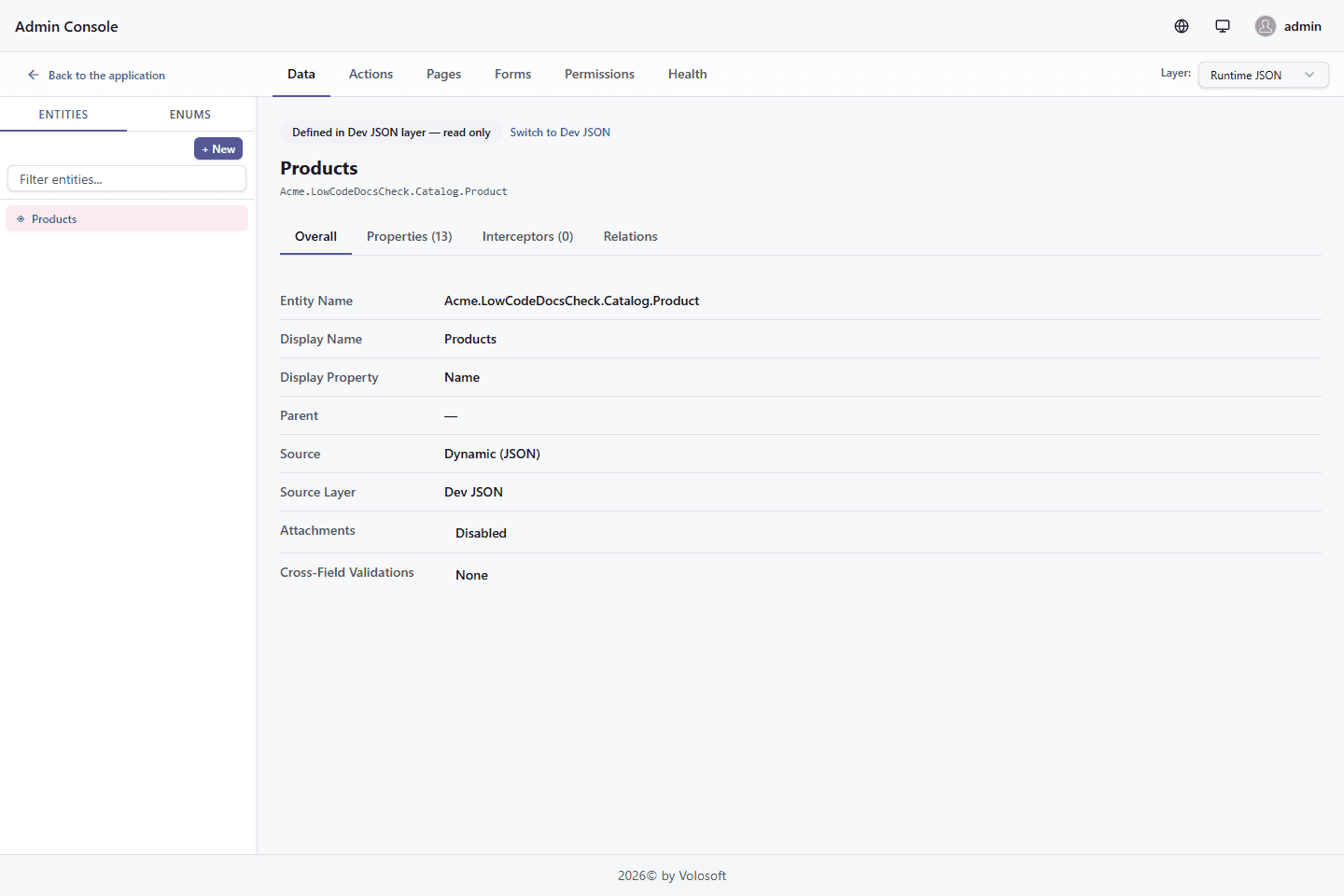
Entities contain properties, display names, display property configuration, inherited audit fields, relations, and optional interceptors. Enums are created once and then used by enum properties.

Relations
Relations are driven by foreign key properties. The designer shows direct N to 1 relations and many-to-many relations that are modeled through junction entities.
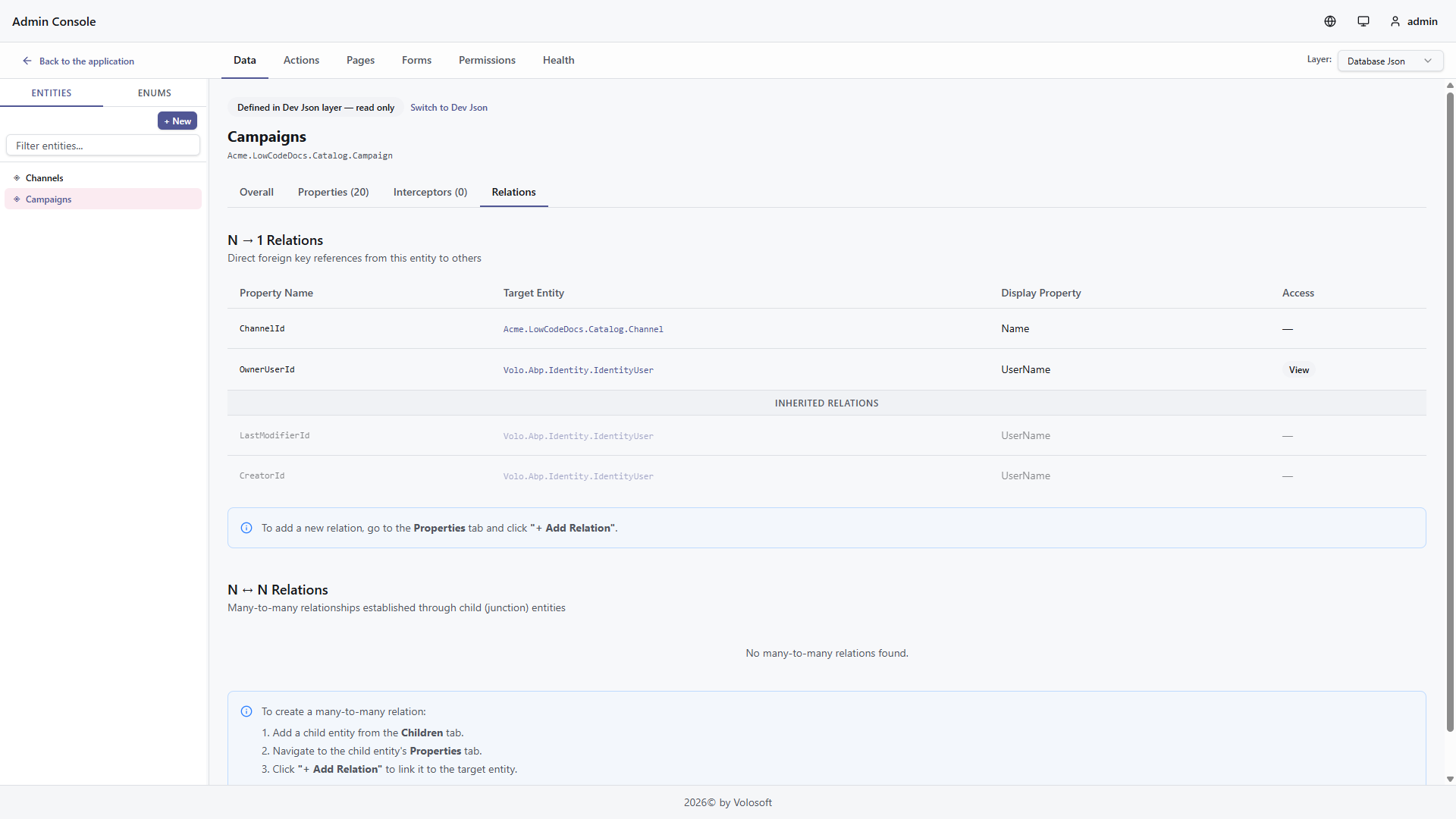
For reference entities such as IdentityUser, register the entity in the generated _Dynamic initializer. The designer and runtime can then show friendly display values instead of raw IDs.
Pages
Use Pages to expose an entity in the React runtime.
Pages can define data grid, kanban, calendar, gallery, standalone form, and dashboard experiences. A data grid page can define:
- Title and icon
- Menu group and order
- Entity
- Create and edit forms
- Visible grid/card fields
- Export fields for Excel, CSV, download-link columns, and file bundles
- Field labels and column widths
- Default sorting
- Filter fields and defaults
- File/image export defaults when the page has exportable file fields
- Whether file bundle ZIP export is allowed
Kanban pages add groupByProperty, calendar pages add date/time properties, gallery pages can use an image property, form pages reference a named form, and dashboard pages define rows and visualizations.

Pages are exposed in React under /dynamic/<page-name> and can also appear as dynamic menu items.
The View Fields section controls what users see in the runtime view. The separate Export Fields section controls what may leave the page through Excel, CSV, download-link columns, or file bundles. A visible field can be excluded from export, and an exportable field can be hidden from the page but still available through Export options > All exportable fields. Use the bulk actions to copy visible fields into the export policy, enable all fields, or disable all fields.
Open Export Fields > More settings only when you need custom export details. If Use default export settings is enabled, export uses display labels, the view field order, file name output, and file bundle export enabled. Turn it off to customize export labels, assign a separate export order, choose Default File/Image Output, or disable Allow file bundle export. File/image output controls appear only when the page has file or image fields, and they stay inactive until at least one file/image field is exportable.
Forms
Use Forms to define create and edit experiences.
Forms can contain:
- Tabs
- Groups
- Ordered fields
- Control types
- Placeholder and help text
- Default values
- Required and validation behavior
- Conditional rules for hide/show, enable/disable, and set value behavior
- Save actions such as "save and new"

Filters
Filters are configured per page and rendered by the React runtime. The runtime uses type-specific operators to keep the UI simple:
- String fields use text operators.
- Number and money fields use range and comparison operators.
- Date fields use date labels such as on, after, and before.
- Boolean fields use
All / Yes / No. - File and image fields use
Has valuewithAll / Yes / No.
The URL query parameter keeps the existing lcFilters format, so bookmarked filtered pages continue to work.
Permissions
Dynamic permissions are generated for entities and pages. Use the Permissions section to review names and grant access through the normal ABP permission management UI.
Generated pages and menus are permission-aware. If a user cannot access a page, the runtime does not show the menu item and API calls remain protected by backend authorization.
Actions and Scripts
Use Actions only when descriptor metadata and standard CRUD behavior are not enough. The scripting surface can define custom HTTP endpoints, distributed event handlers, background jobs, and scheduled background workers. Scripts run server-side and use the Scripting API.
JavaScript editors in the Designer provide syntax highlighting, service autocomplete, entity name autocomplete, entity property autocomplete, enum autocomplete, and an Available context list. The context list reflects the services enabled for the selected script type. The fileFields and imageFields context items are selector trees for File and Image properties used by the file and image helpers; they are not lists of every entity property.
Endpoint and event handler editors include Test JavaScript. Dry-run execution runs the current editor content without saving it, rolls back database writes, captures email/event/job/file side effects, and resolves outbound HTTP calls through test mocks. See Script Actions for action descriptors and dry-run behavior.
Health
Use Health before shipping changes. It helps catch missing display properties, invalid relation targets, form/page references, script problems, and other model issues that would otherwise surface at runtime.
Source Control
For source-controlled models, keep the _Dynamic descriptor files and the generated initializer in your application repository. Use Model Descriptor Files, Attributes & Fluent API, and Reference Entities for advanced editing and integration details.