
1.7 KiB
Creating the Initial Solution
//[doc-nav]
{
  "Previous": {
    "Name": "Overview",
    "Path": "tutorials/modular-crm/index"
  },
  "Next": {
    "Name": "Creating the initial Products module",
    "Path": "tutorials/modular-crm/part-02"
  }
}
Follow the Get Started guide to create a single layer web application with the following configuration:
- Solution name:
ModularCrm - UI Framework: ASP.NET Core MVC / Razor Pages
- Database Provider: Entity Framework Core
You can select the other options based on your preference.
Please complete the Get Started guide and run the web application before going further.
The initial solution structure should be like the following in ABP Studio's Solution Explorer:
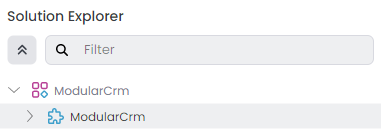
Initially, you see a ModularCrm solution and a ModularCrm module under that solution.
An ABP Studio module is typically a .NET solution and an ABP Studio solution is an umbrella concept for multiple .NET Solutions (see the concepts document for more).
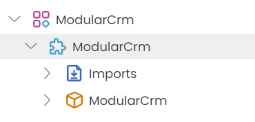
The ModularCrm module is the core of your application, built as a single-layer ASP.NET Core Web application. You can expand the ModularCrm module to see:
Summary
We've created the initial single layer monolith solution. In the next part, we will learn how to create a new application module and install it to the main application.