
1.2 KiB
Microservice Solution: How to use with ABP Suite
ABP Suite provides a visual solution designer, code generators, and other tools to make your development process easier and faster.
You can open ABP Suite from ABP Studio by using the ABP Suite -> Open toolbar menu item, or by right-clicking on the desired module and selecting the ABP Suite menu item.
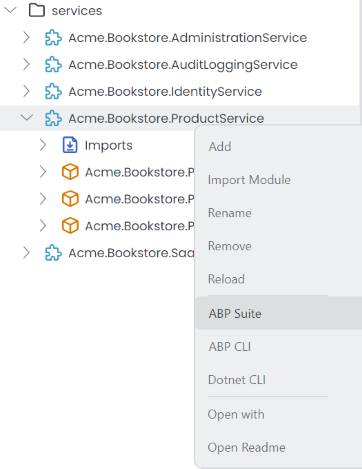
It opens the ABP Suite in a built-in browser window. You can also access the suite by visiting http://localhost:3000 through your browser. From there, you can visually design your solution and generate code. In this example, we create a Product entity.

After clicking Save and generate for the entity in ABP Suite, use Run -> Build & Restart in the Solution Runner to apply the changes.
To confirm, visit the Swagger UI to verify that the necessary API endpoints and services have been created.

Currently, you can't generate UI code with ABP Suite for microservice solutions. This feature will be added in future releases.