
10 KiB
Low-Code System
//[doc-seo]
{
    "Description": "ABP Low-Code System: design dynamic entities, forms, pages, permissions, menus, filters, and React runtime pages with the Admin Console Low-Code Designer."
}
You must have an ABP Team or a higher license to use this module.
Preview: The Low-Code System is currently in preview. APIs, designer behavior, generated metadata, and React runtime details may change before general availability. Use it for evaluation and controlled projects, and review release notes before upgrading.
The ABP Low-Code System lets you build data-driven admin screens from metadata. The primary workflow is the Low-Code Designer in ABP Admin Console, backed by the React runtime in your application.
Use the designer to model entities, enums, properties, relations, pages, forms, filters, permissions, actions, and health checks. The runtime uses the same metadata to provide:
- CRUD REST APIs
- EF Core dynamic entity tables
- Permission definitions
- Dynamic menu items
- React data grid, kanban, calendar, gallery, form, and dashboard pages
- Create and edit forms
- Advanced filters
- Excel, CSV, and file bundle export
No DTO, repository, application service, controller, or React CRUD page is required for the standard flow.

Supported UI
Low-Code runtime UI is currently documented for React. The backend model, APIs, permissions, scripting, and custom endpoint infrastructure are shared by the module, but the UI walkthroughs in this section focus on Admin Console plus React.
How to Enable
The Low-Code System is an optional startup template feature. When creating a new application with ABP Studio, choose a modern React application template and enable Low-Code System in the project creation wizard.
ABP Studio creates the required backend module references, dynamic model initializer, EF Core configuration, Admin Console integration, and React runtime wiring.
The generated React project includes:
@volo/abp-react-lowcodeconfigureLowCodeLowCodeLocalizationProvidercreateDynamicRoutesuseMenuItems- Page, form, dashboard, file, and attachment hooks
The host application wires the low-code modules, calls the generated _Dynamic initializer, configures EF Core dynamic entities, and seeds the required OpenIddict clients.
Run the Application
After ABP Studio creates the solution, use Solution Runner to run the backend host and the React application. Run the database migration task before opening the runtime pages.
The generated solution README contains the exact command-line equivalents if you prefer to run the projects outside ABP Studio.
If you generate a solution inside another repository, make sure parent build files such as Directory.Packages.props are not inherited accidentally. Use an empty output folder outside another solution, or isolate the generated solution's MSBuild configuration before running dotnet build.
Open Admin Console and navigate to Low-Code Designer after the backend is running:
https://localhost:<host-port>/admin-console/lowcode-designer
Open generated runtime pages after the React application is running:
http://localhost:<react-port>/dynamic/<page-name>
Designer Workflow
The designer is the day-to-day entry point.
- Use Data to create entities, enums, properties, and relations.
- Use Pages to choose a page type, menu placement, fields, default sorting, filters, dashboards, and linked forms.
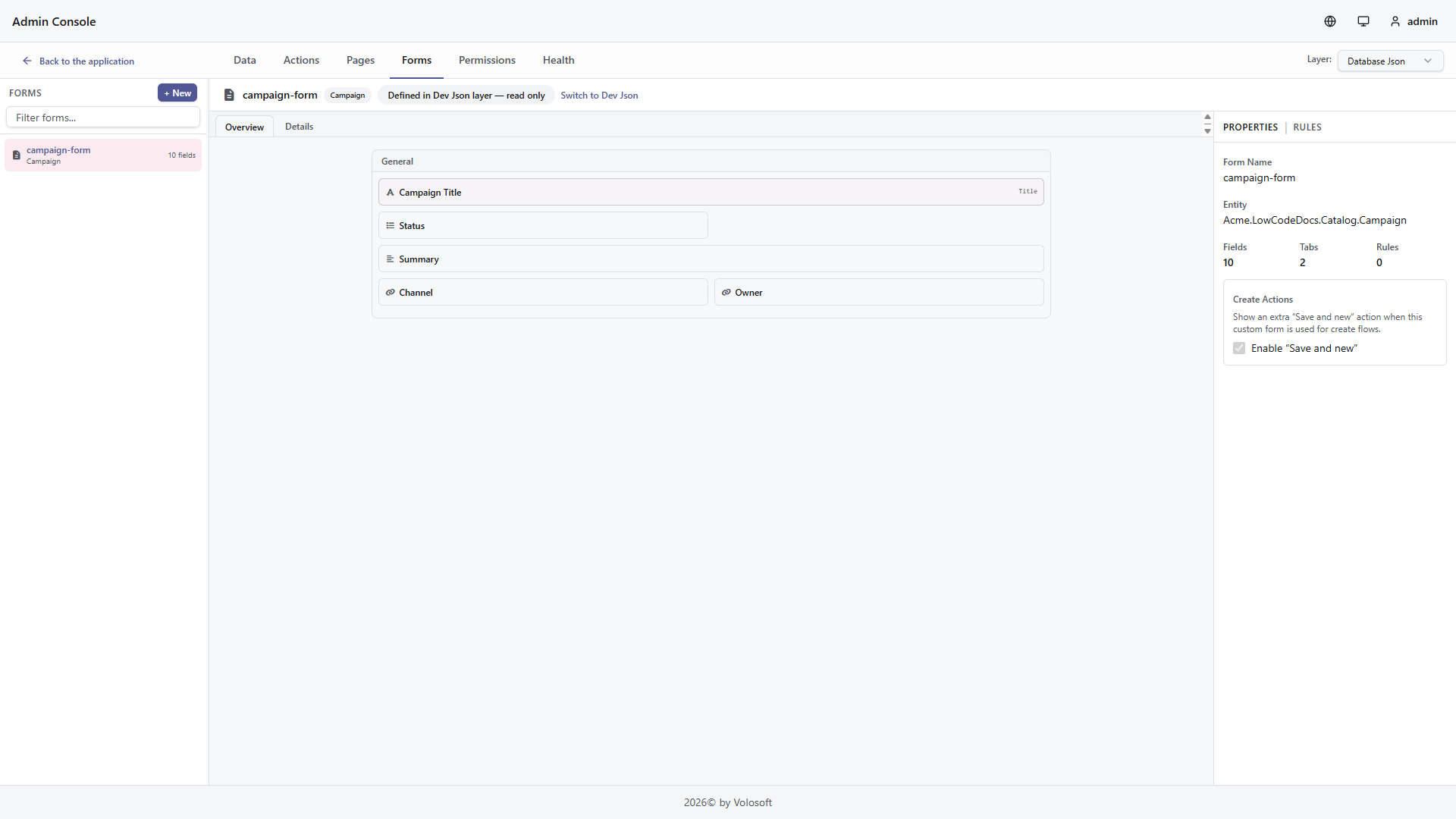
- Use Forms to arrange create and edit forms with tabs, groups, controls, validations, and actions.
- Use Permissions to review generated permissions and control access.
- Use Actions and Interceptors when the standard CRUD flow needs custom logic, endpoints, event handlers, jobs, or workers.
- Use Health to review model issues before publishing changes.

React Runtime
React runtime pages are generated from the same metadata. The page below was produced from a low-code page definition and includes the grid, menu item, permissions, display values, export, create form, and filters. The same runtime can render kanban, calendar, gallery, standalone form, and dashboard page definitions.


Filters
React low-code filters are type-aware. The runtime shows only operators that make sense for the field type. For example:
- Text fields support contains, equals, starts with, ends with, and has value.
- Numeric fields support equals, comparison, between, and has value.
- Date fields use date-friendly labels such as on, after, before, and between.
- Boolean fields use an
All / Yes / Novalue selector. - File and image fields use
Has valuewith anAll / Yes / Novalue selector.
All means no filter is applied. Yes maps to non-empty values. No maps to empty values.

Export
Every dynamic entity page can export data to Excel or CSV. Pages with file or image fields can also export a file bundle as a ZIP. Export requests use the current search, sorting, and filters from the runtime view, so a filtered page exports the matching subset instead of the whole entity.
The React runtime exports visible exportable columns by default. These columns and their default order come from the page-level Export Fields settings in the Low-Code Designer. A field can be visible but not exportable, or hidden but still available in the All exportable fields option. Use this when a page should display operational data that should not leave the system through Excel or CSV. Server-only fields are always excluded, and foreign key values are displayed through their configured display property.
File and image fields are exported as file names by default. Export options can expand those fields into metadata columns or temporary download-link columns. Download-link columns include file name, URL, expiry, content type, size, dimensions, and status. The links are short-lived and should be treated like signed download links, not permanent public URLs.
Use Files (.zip) when users need the actual uploaded files. The action appears only when the Designer allows file bundle export and at least one selected file/image field is exportable. The ZIP contains manifest.csv and files under files/{recordId}/{fieldName}/{safeFileName}. The manifest records missing, malformed, unlinked, and limit-skipped files instead of failing the whole export.
Spreadsheet and ZIP exports require a short-lived, single-use download token. The token is bound to the tenant, page, entity, child page, and foreign-access context. File download links use separate short-lived tokens bound to the exported file value. Spreadsheet formula-like text values are escaped before writing CSV or Excel headers and cells.
| Endpoint | Description |
|---|---|
GET /api/low-code/pages/{pageName}/download-token |
Gets a short-lived download token |
GET /api/low-code/pages/{pageName}/export/excel |
Exports filtered data as Excel |
GET /api/low-code/pages/{pageName}/export/csv |
Exports filtered data as CSV |
GET /api/low-code/pages/{pageName}/export/files |
Exports selected file/image fields as a ZIP bundle |
GET /api/low-code/pages/export/files/{token} |
Downloads one temporary file link created by spreadsheet export |
Useful export settings:
| Setting | Default | Purpose |
|---|---|---|
LowCode:Export:MaxRows |
100000 |
Maximum rows in one all-filtered export |
LowCode:Export:DownloadTokenLifetimeSeconds |
30 |
Download token lifetime |
LowCode:Export:FileLinkTokenLifetimeSeconds |
900 |
Temporary file link lifetime |
LowCode:Export:MaxFileBundleFiles |
1000 |
Maximum files in one ZIP export |
LowCode:Export:MaxFileBundleBytes |
268435456 |
Maximum total file bytes in one ZIP export |
Advanced Configuration
The designer stores and reads the same descriptor metadata described in the reference pages below. Use these pages when you need source-controlled descriptor files, custom startup wiring, script handlers, or low-level integration details.
| Topic | Use it for |
|---|---|
| Designer | Admin Console tabs, entity/page/form setup, permissions, and health |
| React Runtime | React package wiring, routes, menu items, filters, forms, and export |
| Attributes & Fluent API | Source-controlled C# metadata and runtime overrides |
| Model Descriptor Files | JSON descriptor files and public descriptor schemas used by the designer and runtime |
| Reference Entities | Lookups to existing entities such as Identity users |
| Foreign Access | Access to related dynamic entities through relations |
| Interceptors | JavaScript lifecycle logic for CRUD operations |
| Custom Endpoints | JavaScript-backed REST endpoints |
| Script Actions | Event handlers, background jobs, background workers, script editor, and dry-run testing |
| Scripting API | Server-side script context and helpers |
Runtime Internals
The generated pages are powered by these services:
DynamicEntityAppServicehandles CRUD, list queries, filtering, sorting, and export.DynamicPageAppServiceexposes page-based CRUD, file, attachment, lookup, child, foreign-access, and export endpoints.DynamicEntityUIAppServicereturns page, form, dashboard, field, filter, and menu metadata.DynamicPermissionDefinitionProvidercreates permissions for dynamic entities.CustomEndpointExecutorruns JavaScript-backed custom endpoints.- EF Core maps dynamic entities as shared-type entities.