
2
SplitButton
DianeXceed edited this page 9 years ago
SplitButton
Derives from Xceed.Wpf.Toolkit.DropDownButton
The SplitButton control is a button that can be clicked and also provides a drop down in which you can place any custom content within.
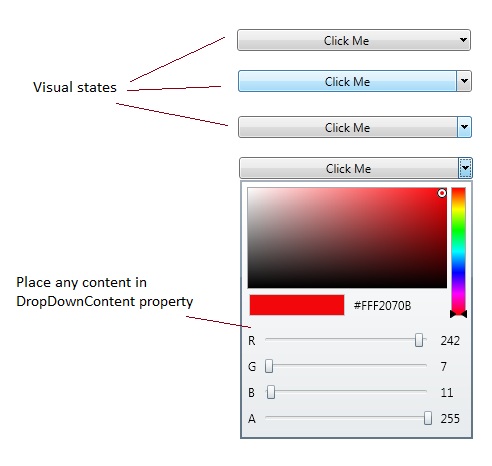
        <xctk:SplitButton Content="Click Me">
            <xctk:SplitButton.DropDownContent>
                <xctk:ColorCanvas />
            </xctk:SplitButton.DropDownContent>
        </xctk:SplitButton>
Properties
| Property | Description |
|---|---|
| Command | Gets or sets the command to execute when the button is clicked. |
| CommandParameter | Gets or sets the command parameter to pass to the Command when the button is clicked. |
| CommandTarget | Gets or sets the element on which to raise the specified command. |
| DropDownContent | Get or sets the object to use as the drop down button's content. (Inherited from DropDownButton) |
| IsOpen | Gets or sets a value indicating whether the dropdown is open. (Inherited from DropDownButton) |
Events
| Event | Description |
|---|---|
| Click | Raised when the control is clicked (Inherited from DropDownButton) |
| Opened | Raised when the DropDownButton dropdown has opened. (Inherited from DropDownButton) |
| Closed | Raised when the DropDownButton dropdown has closed. (Inherited from DropDownButton) |
Support this project, check out the Plus Edition.